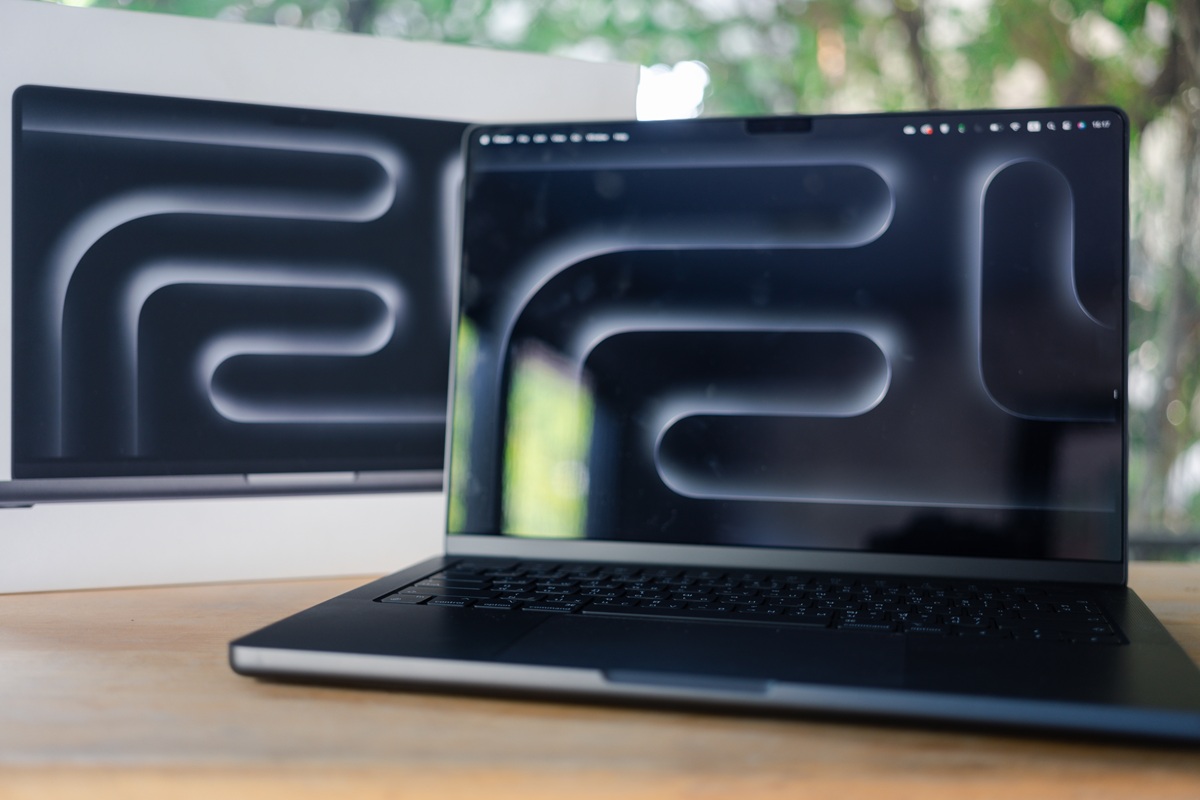

Yes, you can rent a MacBook. Yes, it is worth it for the right kind of deployment. And no, you do not need to spend months researching chip generations to make the right call.
Most businesses renting MacBooks fall into one of two camps. Either they need devices for a specific project, event or team and want something current without the capital outlay, or they are weighing up whether to buy or rent for a longer-term requirement and want to understand the options before committing.
The choice of which MacBook for your business comes down to a MacBook Pro vs Air. From there, it’s worth understanding what the M-series chip generations mean in practice, matching specific models to real business use cases, and whether renting makes more sense for your company than buying.
Key Takeaways
- The MacBook Pro earns its place when sustained heavy workloads like video editing, 3D rendering, or large code compilations would cause a fanless machine to throttle.
- Every M-series chip from M1 onwards handles standard business work comfortably, including Microsoft 365, Google Workspace, Zoom and web browsing. The chip generation matters most for creative and technical workloads where real working time is affected.
- The right MacBook depends on the job, not the price tag. A design studio, an events company and a training provider each need different machines. The MacBook Air M5 15″ suits the majority of business deployments, while the MacBook Pro 16″ M4 Pro or M5 is the right choice for sustained creative and production work.
- Renting removes the risk of choosing the wrong one. Rather than committing capital to a machine that may not suit the next project, businesses can hire the specification they need and change it next time.
- Hire Intelligence stocks MacBook Air and MacBook Pro models from M1 through to the current M5 generation, available to rent from one day to 24 months with next-working-day dispatch.
MacBook Pro or MacBook Air, which one is best for your team?
One of the core differences between the MacBook Pro and the MacBook Air is the thermal performance. While chip specs look similar on paper, a critical difference for business procurement is thermal design. MacBook Air (M5) is completely fanless and silent. It is optimised for efficiency and lighter weight. However, under sustained, heavy workloads such as long video exports and large compilations, it will throttle its performance to manage heat without a fan. MacBook Pro (M5) features active cooling fans. Under continuous, full-capacity workloads, the fans dissipate heat, allowing the processor to run at maximum speed indefinitely without throttling.
Another factor that dictates the hardware choice is your team’s physical desktop environments. The Air offers a minimalist approach with only two USB-C/Thunderbolt ports. The Pro includes built-in HDMI and an SD card slot, which are necessary for video editors ingesting camera footage or presenters connecting directly to client screens. The Pro also comes with a brighter Liquid Retina XDR display screen featuring 120Hz ProMotion for smoother scrolling, whereas the Air utilises a standard 60Hz Liquid Retina display.
If you’re in a role where external monitors are a requirement, this can make a significant impact on which device will be most beneficial. A MacBook Air (M4/M5) supports up to 2 external monitors with the laptop lid open. An M5 Pro can support up to 3 external monitors.
The memory in a MacBook cannot be upgraded after it is configured. Whatever specification you start with is what the device has for its full life, so it is worth getting this right from the outset. 16GB is a comfortable baseline for general office roles. 24GB or more suits developers running containers alongside other tools, designers working across large files in Figma or After Effects, and teams with data-heavy workflows.
What the M-series chips mean for business users

Apple has released five generations of its own M-series chips. Each generation has made improvements since the last, but the generation matters less than you might expect for most business work. The type of work your team does day to day will suggest which M-series chip will be best for your role.
For standard business work, even the M1 (the first generation) can still run and support applications such as Microsoft 365, Google Workspace, Zoom, Slack, and web browsers with dozens of tabs open without so much as breaking a sweat. If the MacBook is for email, documents, presentations, video calls, and general office work, the chip generation is not the deciding factor. Battery life and build condition matter more. This is where renting a MacBook is worth it and can become a practical advantage. Rather than agonising over which generation to buy, a business can hire the specification that fits the project and upgrade the next time if needed.
Where the generation gap starts to matter
For sustained creative and technical workloads, the newer chips pull ahead in ways that affect real working time. This can be the difference between a video render finishing before or after lunch, a codebase compiling in minutes or if it sits there spinning, or a machine staying cool and quiet through an eight-hour editing session or starting to throttle.
The practical jumps that are worth knowing about include:
- M1 to M2 brought modest speed improvements and better media engine performance. For most business tasks, the difference is barely noticeable.
- M3 introduced hardware-accelerated ray tracing and moved to a more efficient manufacturing process. Meaningful for 3D work, visual effects and graphics-heavy applications. Otherwise incremental.
- M4 improved the Neural Engine significantly (relevant for on-device AI features and machine learning workflows) and brought better power efficiency. The MacBook Air 15.3″ M4 is a strong example of what this generation delivers in a fanless machine.
- M5 is the current generation. Faster across the board, with the biggest gains in GPU performance and sustained throughput under load. The MacBook Pro M5 16″ and MacBook Air M5 15″ are both now available to rent.
What the Pro and Max chip variants are for
Something that customers can be confused by is the differences between the M5 and the M5 Pro chips. The Pro and Max variants add more CPU and GPU cores, plus significantly more memory. These chips exist for genuinely demanding professional work. This can include feature-length video editing, large 3D scene rendering, heavy data science, or multi-stream colour grading.
For most business users, this isn’t necessary. A standard M4 or M5 chip in a MacBook Air will still outperform what a Pro-variant chip was doing two generations ago.
The Pro variant earns its place with creative agencies running sustained Final Cut Pro, VFX houses, architectural visualisation, and film and TV production teams who cannot afford a render to stall mid-deadline.
If you’re unsure which M-chip tier applies to your work, Hire Intelligence can advise you based on specific project requirements, and quotes only take 20 minutes.
Which MacBook for which job

The right MacBook for your business depends on the work involved and how the devices will be used. A creative agency running Final Cut Pro sessions needs a different machine than an events company setting up registration desks.
General office work, consulting and client-facing roles
In an office-based role, typical applications in use include email, Microsoft 365 or Google Workspace, video calls, web-based tools, CRM platforms, and presentations. This covers the largest share of business MacBook deployments by volume, including management, consultancies equipping project teams, companies onboarding temporary staff, and businesses supplying contractors.
What is most impactful here is reliability, battery life, weight, and a professional appearance. Raw processing power is not the priority.
Recommendation: A MacBook Air would be our recommendation here. The fanless design will keep it silent in meetings and client offices. The 15-inch screen gives comfortable working space for split-screen use without adding significant weight. Any M-series chip handles this workload comfortably, so the choice comes down to budget and availability.
For larger deployments, cost-effective options include MacBook Pro 13″ M1 or MacBook Pro 13.3″ M2. Both are more than capable for general business use and represent a practical choice when equipping a large team where the latest chip is not necessary. For a current-generation option, the MacBook Air M5 15″ or MacBook Air 15.3″ M4 are the right fit when current hardware is preferred or a larger screen is needed.
Design, photography, and creative production
Design work typically runs on Adobe Creative Suite, Figma, Affinity Suite, photo culling, retouching, layout and print production. This is the bread and butter of creative agencies renting MacBooks for project teams or freelancers.
What matters here is the GPU performance for real-time previews and filters, RAM to keep large files open simultaneously, display quality for colour accuracy, and screen size for design work.
Recommendation: MacBook Air M4 or M5 (15-inch) for the majority of design work. The current-generation Air handles Photoshop, Lightroom, and Illustrator without any issues, and the Liquid Retina display is excellent for colour work. It only falls short on very long export batches or sustained 3D rendering, where the fanless design means it will eventually throttle.
For heavier creative workflows, we suggest the high performance MacBook Pro 16″ M4 Pro. The active cooling means sustained exports and batch processing do not slow down, the 16-inch Liquid Retina XDR display is brighter and supports ProMotion, and the Pro chip variant has the memory bandwidth for very large files.
Video editing, VFX and post-production
This can include applications like Final Cut Pro, DaVinci Resolve, After Effects, Premiere Pro, colour grading, multi-stream editing, or VFX compositing. This is where the MacBook Pro excels. Typical renters in this space include film and TV production companies, broadcast teams, and post-production houses needing machines on location or for short-term freelance editors.
Here, the importance lies in sustained GPU performance under load, enough RAM to hold timelines and proxies in memory, and a display that supports wide colour and HDR preview. This is a workload that punishes fanless machines over time.
Recommendation: MacBook Pro 16-inch with a Pro-variant chip. The larger screen is close to non-negotiable for timeline work, the active cooling sustains export performance, and the XDR display handles HDR preview natively.
For current-generation work: MacBook Pro M5 16″. For a strong previous-generation option at a potentially lower rental rate: MacBook Pro 16″ M4 Pro or MacBook Pro 16″ M3 Pro.
Software development
The use case is Xcode, VS Code, local development environments, compiling, testing, and CI/CD pipelines running locally. This covers IT consultancies deploying development teams to client sites, software houses scaling up for a project phase, and businesses running pilot programmes that need dev environments set up quickly.
CPU multi-core performance is needed for compiling, enough RAM to run development tools alongside local servers and containers without swapping to disk, and reliable connectivity. Battery life can matter more than developers might think, particularly for those working at client offices or co-working spaces.
Recommendation: MacBook Pro for heavy compilation and containerised workflows. MacBook Air for front-end development, scripting and lighter codebases.
For full-stack and iOS development: MacBook Pro 16″ M4 Pro or MacBook Pro M5 16″. The Pro-variant chip and active cooling make a noticeable difference during long compile cycles. For lighter development work: MacBook Air M5 15″ or MacBook Air 15.3″ M4.
Events, exhibitions, and short-term deployments
This can include registration and check-in desks, presentation stations, product demos, interactive displays, exhibition stands, training rooms, or pop-up offices. This is where volume matters more than individual specifications. Typical renters include event and exhibition companies, corporate conference teams, and businesses running temporary training programmes.
What makes a difference here is a consistent fleet, quantity available at short notice, reliability across a multi-day event, and professional appearance.
Recommendation: MacBook Air for most event deployments. Lightweight, silent, long battery life for setups away from power sockets, and a clean, professional appearance. For presentation or demo stations running heavier software, step up to a MacBook Pro.
Training, education, and examinations
This could be anything from universities running exam periods on temporary devices, corporate training programmes, or professional development courses. Renters here include education and training providers and HR teams running graduate onboarding or skills programmes.
Consistency matters: identical configuration across every device, with the same model, software and settings. The ease of setup and collection, as well as cost efficiency, are also needed across a large fleet. The machines do not need to be high specification; they need to be consistent, reliable, and ready to use on arrival.
Recommendation: MacBook Air or an earlier-generation MacBook Pro (M1 or M2) depending on budget. The MacBook Pro 13″ M1 or MacBook Pro 13.3″ M2 are practical choices for large training deployments where they want to keep cost per unit down.
Hire Intelligence provides the option to have devices pre-configured with specific software, user profiles, and settings before delivery. This means you will receive devices that are ready to hand out on day one rather than spending the first morning setting them up.
Is renting a MacBook worth it?

It depends on how the MacBooks will be used.
If a business needs a MacBook on every desk for permanent, full-time employees doing the same work year-round, buying is likely the more practical choice. The maths works out over three to four years of daily use, and the business retains the asset.
Renting makes more sense when the requirement is temporary, project-based, or likely to change. A consultancy equipping 40 contractors for a six-month engagement does not need to own 40 MacBooks that will sit in storage once the project ends. An events company setting up 200 registration stations for a three-day conference needs volume and consistency for a fixed window, not a long-term fleet. A production house bringing in freelance editors for a four-week post-production sprint needs current-generation MacBook Pros for the duration of the job, not indefinitely.
In each of these cases, renting avoids the upfront capital cost, the depreciation, and the problem of owning hardware that may not suit the next project. The business gets the specification it needs for the time it needs it, and returns the devices when the work is done.
There are other practical advantages worth considering. Rental devices can be pre-configured before delivery, removing the setup burden from internal IT teams. If a device develops a hardware fault during the rental period, it is swapped out rather than queued for repair. And because a rental provider regularly refreshes its fleet, the hardware available for the next deployment is likely to be a generation ahead of what was used on the last one, without the business having to sell, recycle or write off its existing stock.
The honest answer is that renting is not always cheaper than buying on a per-day basis. Over several years of continuous use, ownership costs less. But for project-based, seasonal, event-driven or scaling requirements, where the alternative is buying equipment that spends long stretches unused, renting is the more efficient way to keep teams equipped with the right technology for the job at hand.
What it costs to rent a MacBook in the UK
MacBook rental pricing depends on the model, quantity and duration. A single MacBook Air for a week costs less than 50 MacBook Pros for a three-month rollout, and Hire Intelligence prices each deployment individually rather than publishing a fixed rate card.
That approach exists for a practical reason. Businesses renting MacBooks rarely need a single device. Most deployments involve a specific combination of models, configurations, volumes and timescales, and a tailored quote reflects that more accurately than a generic per-day rate.
MacBook pricing will vary depending on the model and specification, but requesting a quote is the fastest way to get a real number. Quotes come back within 20 minutes.
How MacBook rental works with Hire Intelligence

Once you know which MacBook suits your business, getting it is straightforward. Tell us what you need, how many, and for how long. We will have a quote back to you within 20 minutes, and devices typically ship within one working day from our London and Manchester hubs.
If you are not sure which model is the right fit for your deployment, the team can advise based on the workload and scale involved.
Get a quote or explore the full MacBook rental range.
Frequently asked questions
How quickly can I get a rental MacBook delivered?
Hire Intelligence typically dispatches rental MacBooks within one working day. Stock is held at hubs in London, with service points across the wider UK. For urgent requirements or large-volume deployments, it is worth contacting the team as early as possible so availability and logistics can be confirmed against your timeline. You can request a quote and receive a response within 20 minutes.
What accessories are included with a MacBook rental?
Every MacBook rental from Hire Intelligence includes a charger and carry case as standard. Additional peripherals such as external monitors, keyboards, mice and docking stations are available on request. If your deployment requires specific accessories, include the details when requesting your quote, and they can be bundled with the rental.
Can rental MacBooks be pre-configured with our software and settings?
Yes. Hire Intelligence can prepare Apple devices before dispatch with specified applications, user profiles, security settings and MDM enrolment so they arrive ready for use. This is particularly useful for large-scale training programmes, IT rollouts and event deployments where setting up each device on-site would be impractical. Include your configuration requirements when requesting a quote and the team will confirm what can be prepared in advance.
What happens to our data when we return the MacBooks?
Hire Intelligence performs a data wipe on every device returned after a rental period. This is a standard part of the return process and is carried out before any device is reissued to another customer. If your organisation has specific data handling or security requirements, raise these with the team before the rental begins so they can be factored into the agreement.
Can I extend the rental if my project runs longer than expected?
Yes. If a project overruns or requirements change, rental periods can be extended through your existing account arrangement. It is best to notify the Hire Intelligence team as early as possible so that continued availability of the same devices can be confirmed. This flexibility is one of the practical advantages of renting over purchasing, as there is no need to commit to a fixed ownership period that may not match the actual duration of the work.