
Choosing the right lightweight laptop can make day-to-day work noticeably easier, especially when you are constantly moving between locations. Your laptop should support the way you work across environments without slowing you down.
It is not just about weight. The best lightweight laptop offers strong battery life, practical connectivity and all-day usability. And as hybrid teams grow, how you source and manage these devices matters just as much as the hardware itself.
This guide shows how to choose the best lightweight laptop for flexible working, and how rental can help you stay equipped without overcommitting.
Key takeaways
- Lightweight laptops are essential for professionals who work across locations, commute regularly or hot-desk throughout the week.
- Portability is not just about weight. Battery life, screen size, keyboard quality and port availability, all affect usability on the move.
- Devices under 1.5 kg with 10+ hours of battery life and modern processors offer a strong balance of mobility and performance.
- Brand strengths vary: Apple suits creatives, Dell works well in enterprise setups, HP fits business basics, Lenovo offers value, and ASUS supports power users.
- Renting laptops helps teams stay agile. It enables quick scaling, short-term deployment and reduced IT overhead.

What to look for in a lightweight business laptop
Lightweight laptops are defined by more than just how little they weigh. If you are moving between locations or working in flexible setups, consider the following features to ensure comfort and usability throughout the day.
Weight and screen size
For daily commuting and frequent movement, a device under 1.5 kg is generally ideal. Ultraportables in the 1.0-1.3 kg range offer excellent mobility, while still accommodating full-size screens. A display size between 13 and 15 inches tends to strike the best balance between readability and portability. Devices smaller than 13″ may be too cramped for extended use, while larger screens add unnecessary bulk.
Battery performance
Look for a laptop that offers at least 10 hours of battery life under typical usage. This ensures a full day of meetings, commuting or hot-desking without needing to recharge. Some premium models deliver 12 to 18 hours, which provides added flexibility for fieldwork or back-to-back engagements.
Processor and memory
To support modern workflows, choose a current-generation processor such as the Apple M-series, Intel Core i5/i7 (13th gen or newer) or AMD Ryzen 5/7. These offer a good balance between performance and energy efficiency.
For RAM, 8GB is suitable for general business tasks, but 16GB or more is recommended for users who regularly multitask or work with media, spreadsheets or virtual machines.
Storage
Most professionals will need at least a 256GB SSD for storing operating system files and day-to-day documents. If you work with large files, offline media or multiple applications, consider increasing this to 512GB or higher for improved performance and flexibility.
Connectivity and ports
While many modern laptops rely on USB-C, check if you also require USB-A, HDMI, SD card slots or Thunderbolt for external displays or legacy peripherals. A laptop with versatile port options is especially valuable when hot-desking, presenting or working in client environments.
Keyboard and display
If you spend long hours at the keyboard, prioritise full-size keys with backlighting and good tactile feedback. For display quality, aim for at least 300 nits of brightness and an anti-glare screen to maintain visibility in various lighting conditions. This is particularly important in shared offices, open-plan environments or while travelling.

Matching laptop brands to work styles
Each major laptop brand offers strengths that suit different professional needs. Below is an overview of how they align with common business use cases.
Apple: Best for hybrid professionals and creatives
Apple’s MacBook range is widely used by consultants, designers and mobile professionals who value quiet operation, sleek design and reliable battery life. The macOS environment is stable, efficient and well-suited to remote work.
Strengths:
- Excellent battery performance
- High-resolution Retina displays
- Fanless or near-silent operation
- Strong build quality and design
Considerations:
- Limited port selection (mostly USB-C)
- Higher cost compared to equivalent Windows devices
- Some compatibility issues in Windows-centric environments
Microsoft: Best for mobile flexibility and modern features
Microsoft Surface devices are designed for professionals who move between locations and value touch interaction, fast startup and versatility. With built-in AI tools like Co-Pilot, the latest Surface laptops are ideal for modern hybrid work.
Strengths:
- Touchscreen support with stylus compatibility
- Compact and lightweight for commuting or hot-desking
- Fast performance with modern productivity features
- Premium Windows integration
Considerations:
- Limited physical ports on some models
- A detachable keyboard is required for Surface Pro
Dell: Best for enterprise and IT-managed environments
Dell’s Latitude series is built with IT compatibility in mind, while Alienware models bring workstation-grade performance to professionals with creative or technical workloads. These laptops support strong wireless and docking capabilities.
Strengths:
- Enterprise-grade security and management tools
- Good port variety for flexible setup
- Reliable wireless and peripheral support
- Ruggedised options for fieldwork
Considerations:
- Some models may be bulkier than competitors
- Alienware fans can be louder under load
HP: Best for business basics and deployment at scale
HP’s ProBook and EliteBook series offer dependable performance for administrative and training roles. These laptops are easy to manage and configure, making them well-suited to short-term hires, workshops or team rollouts.
Strengths:
- Practical, business-focused design
- Often includes legacy ports like USB-A and HDMI
- Solid battery life in most models
- Available in bulk with consistent specs
Considerations:
- May lack premium finishes
- Mid-tier models can be bulkier than competitors
Lenovo: Best for portable performance at a lower cost
Lenovo’s business laptops are known for keyboard quality and portability. The V15 is a reliable choice for standard office tasks, while the Legion Pro offers a high-spec option for creative or technical users needing more processing and graphics power.
Strengths:
- Lightweight with strong build quality
- Good keyboard experience for all-day typing
- Competitive pricing for business functionality
- Wide range of use cases, from admin to media work
Considerations:
- Entry-level models may compromise on display quality
- Visual design focuses on function over aesthetics

When renting is the right choice
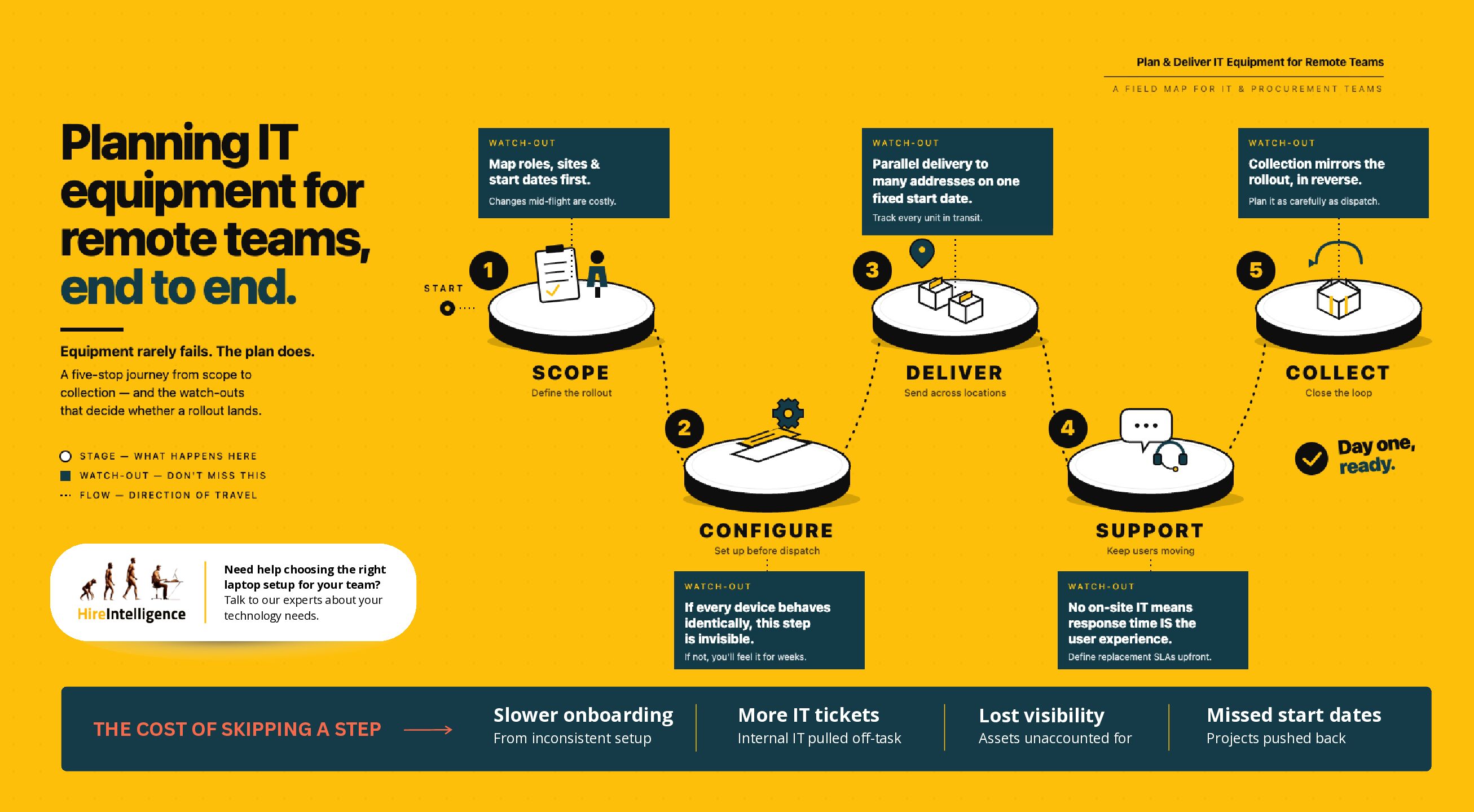
For short-term projects, onboarding, or flexible staffing needs, renting lightweight laptops offers a fast and cost-effective solution. It allows businesses to scale up quickly, avoid capital expenditure, and access pre-configured devices ready for immediate use.
Rental is especially useful when supporting hybrid teams during an office move, providing laptops for contract staff, or delivering training across multiple sites. With technical support and hardware replacements included, it also reduces the burden on internal IT.
Hire Intelligence offers business-grade laptops from trusted brands, delivered and configured to suit your requirements, with fast turnaround across the UK.

Ready to support hybrid working? We can help
The best lightweight laptop should make flexible working easier, not introduce new limitations. The most suitable device is one that fits your working habits, supports your tools and travels easily between environments.
With so many brands offering capable options, the key is to focus on what matters most to your workflow: mobility, performance, connectivity or ease of setup. And if your needs change from project to project, renting may offer a more practical way to stay equipped without a long-term commitment.
Hire Intelligence provides flexible laptop rental solutions tailored to your working style and business requirements. With preconfigured devices, expert support and nationwide delivery, we help teams stay productive, wherever they work. Contact us today for a tailored quote.
Frequently asked questions
Q. Can lightweight laptops still handle demanding tasks?
- Yes. Many of the models we supply combine portability with impressive processing power. Laptops with Apple M-series chips or Intel i7 processors can easily support creative software, analytics tools and multitasking, even in slimline designs.
Q. Which laptop brand is best for hybrid working?
- It depends on your workflow. Apple is ideal for creatives and professionals working across macOS environments. Dell and HP offer great enterprise compatibility. Lenovo is a strong choice for cost-effective mobility, and ASUS suits power users in media or development roles. We can help you match the right brand to your team’s specific needs.
Q. Can I rent multiple laptops with the same configuration?
- Yes. We frequently supply matched laptops for training sessions, exams, events and team rollouts. Each device can be preloaded with your software and settings to ensure consistency and minimise setup time.
Q. Can you customise devices before delivery?
- Absolutely. We configure laptops to your specifications, including software installation, user accounts and security settings. Devices arrive ready to use, saving your team time and effort.
Q. What happens if a device is damaged or stops working?
- If something goes wrong, we will provide technical support and can arrange a replacement if needed. Our rental service includes this support as standard, helping reduce pressure on your internal IT team.